
The new Primer version is here, and with it comes a few notable changes.
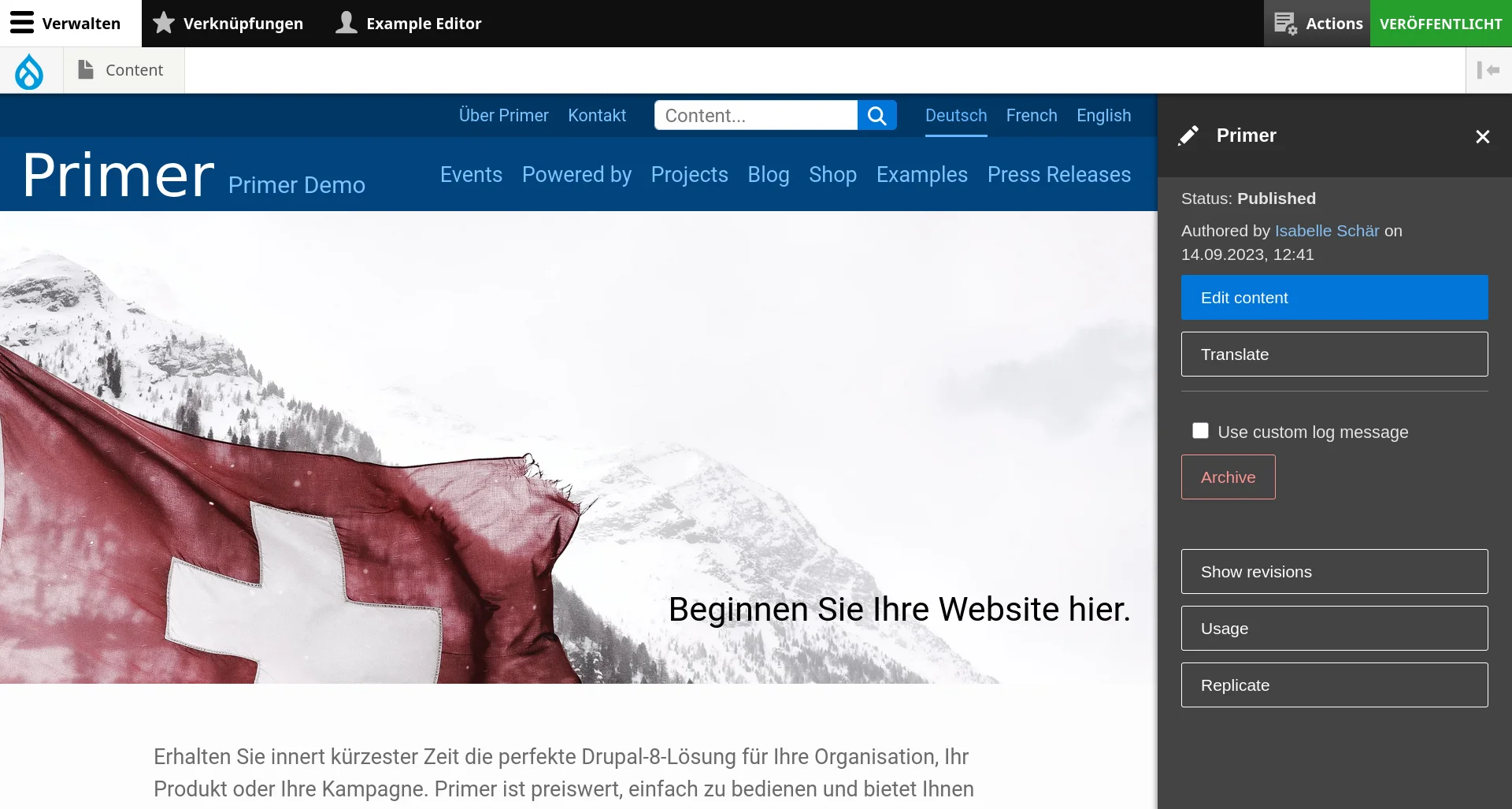
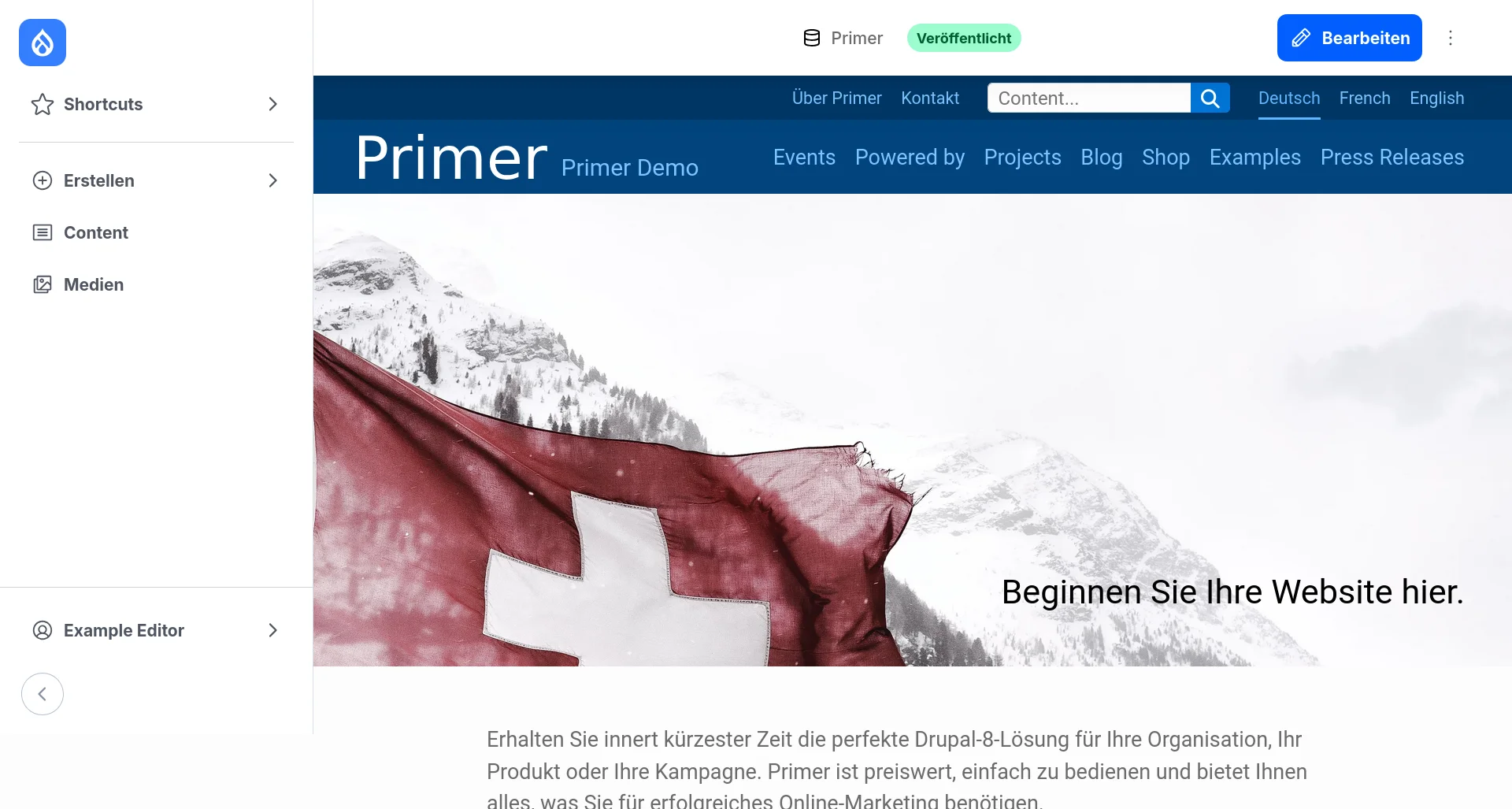
The most impactful difference for editors is the brand new administration toolbar, which has a more modern design, and allows quicker access to the backend.
In addition, we are updating to Drupal 11.3, PHP 8.4 and Bootstrap 5 to keep your websites secure and up-to-date. These updates are required to keep your website secure and compatible with modern browsers.
Extra features have been added, but they need testing and adapting to your own design. We will provide estimates on a case-by-case basis.
As usual, the update will be rolled out to all Primer projects in the next few weeks.
The new admin sidebar
Out with the old, in with the new!
The admin toolbar at the top of the screen is leaving, replaced by the new admin toolbar, on the left of the screen. The menu is essentially the same, but with a cleaner design. Once you are used to the new look and icons, you can collapse the navigation so it only takes up a minimal amount of space, which is especially useful on smaller screens.
The new and always-visible Edit button will directly take you to the edit form with a single click. The look and feel of the admin toolbar now aligns with the backend of the website.
Smart header
It’s now possible to use a smart header on your website. It behaves almost exactly like a sticky header, except that it vanishes when you scroll down, and appears again as soon as you scroll up, freeing space for the content of the page when the reader does not need the header. If you wish to enable this new feature on your website, get in touch so we can explore the pricing options.
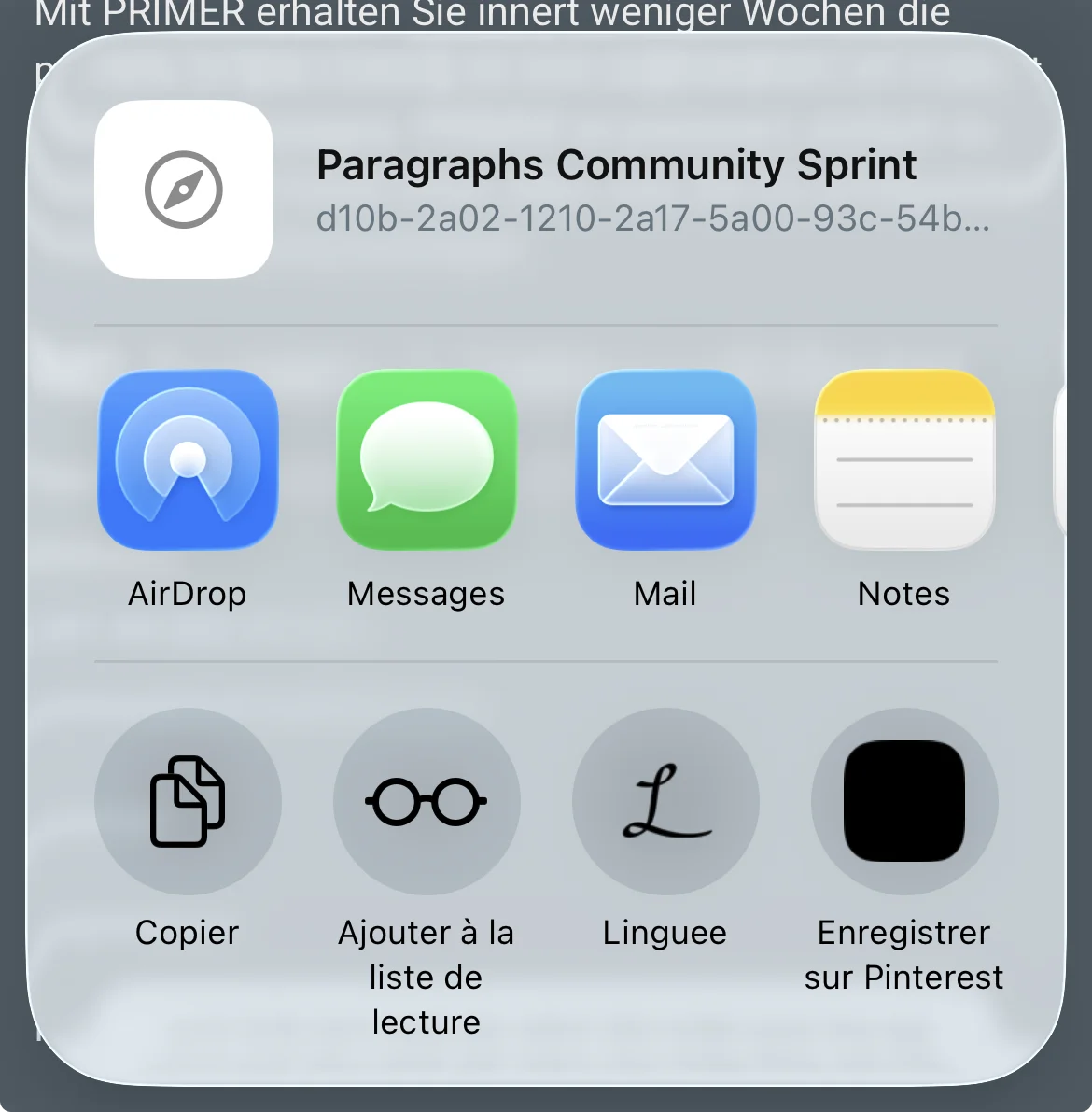
New sharing widget
We introduce a new sharing widget, which uses the WebShare API. Instead of one button for each service to share to (facebook, X, whatsapp, etc), it’s just one button that then asks your phone or computer which app the link can be shared to which then supports all services that your device/browser integrates with. You can try it on md-systems.ch! This is not changed automatically as it is quite a large change and might need some design adjustments. Get in touch so we can give you a cost estimate.
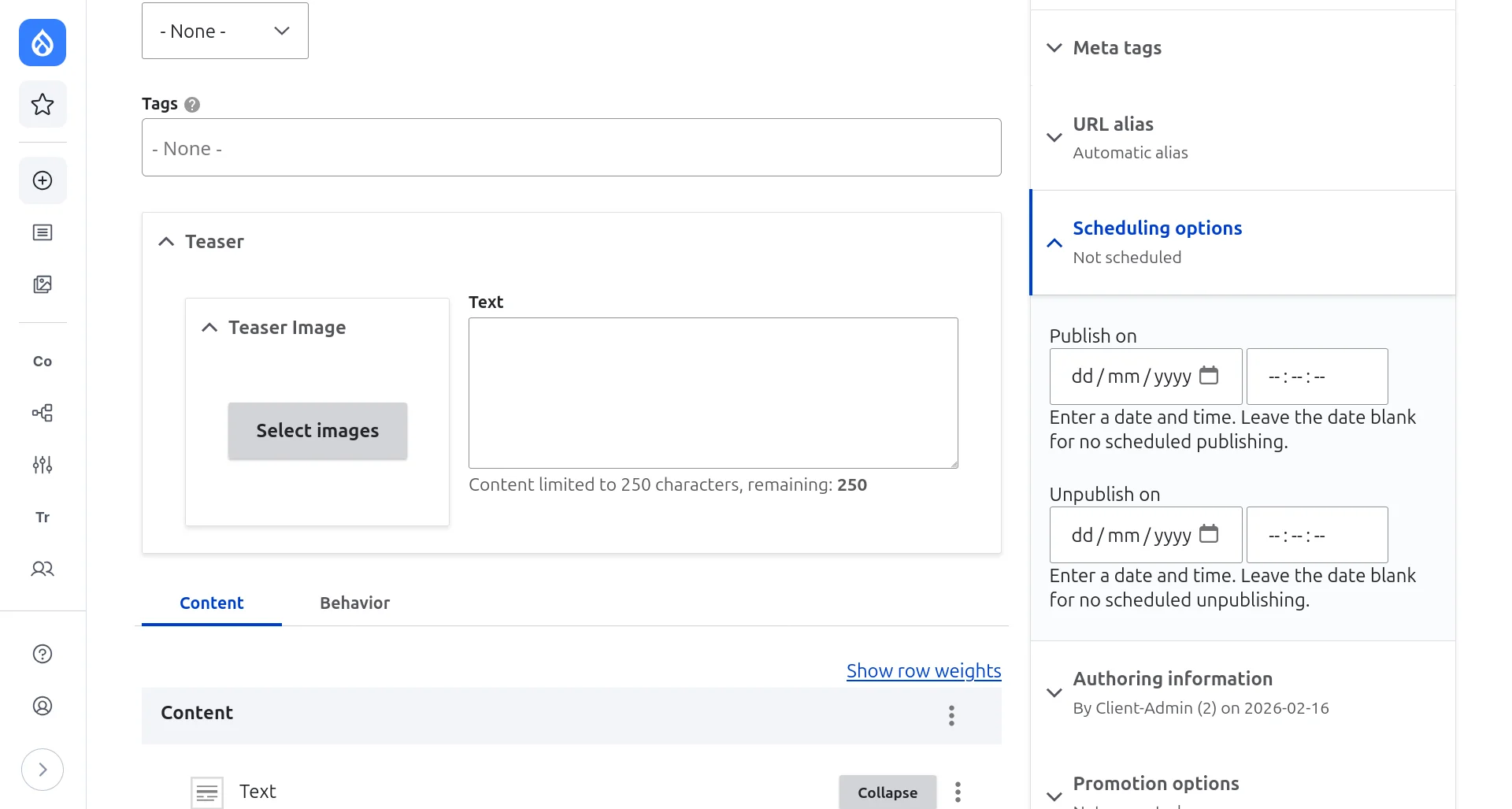
Prepare content ahead of time and automatically publish it when needed
You want to publish an article on a Wednesday at 9am, but also it’s your day off? It is now possible to schedule articles to be published -and even unpublished- automatically ahead of time. Check out the sidebar in the article edit page.
Quick search
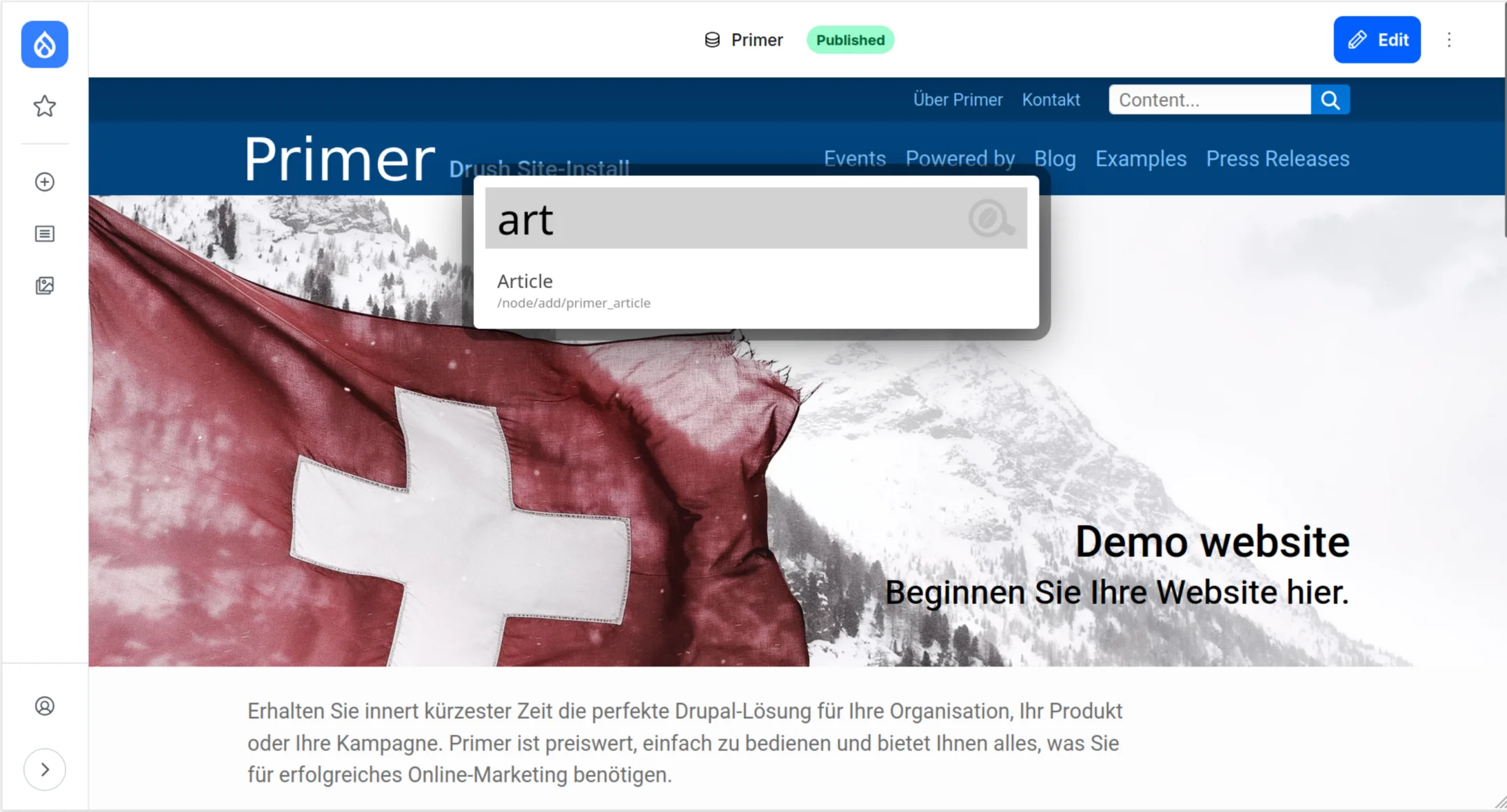
It is now possible to search for a page in the backend of your website with a search bar that will appear with Alt + K. For example, type in “Article” and you can directly access the article create page. For now, the search is only accessible through the keyboard shortcut, but a future update will likely make it more visible.
Other new features
Alternative to Google Maps
“Leaflet” is an open source alternative to google maps. It is now possible to embed maps from Leaflet instead of maps from Google. Get in touch to set up the new feature!
A hero that moves
It’s now possible to use videos instead of images for hero backgrounds. To achieve optimal impact, the videos should be short and not distract too much from the main title, so that it retains its effectiveness. The new feature is enabled by default, but it may need additional work to be adapted to your own design.
Left-aligned content
Currently, text is by default centered on pages, and moved to the left when the page has a sidebar (This may vary depending on your specific design). It’s now possible to have all content left aligned but still limited in width. If you wish to enable this new feature on your website, get in touch so we can explore the pricing options.
Performance
Pages should load much faster, especially after updating them or when they are not already prepared. Authenticated users, especially editors after making content changes, may notice that secondary elements of a page, such as menus, may show up with a slight delay and cause some layout shift (elements moving on the page as they are shown).